A good place to start, with sources.
The Resource library is the in-workspace version of the public HopeNest directory. It lists official resources with a link to each organization’s own page, so you can search, save what helps and keep track of where you are with each application. It is for anyone who wants information with a source, without a hundred open tabs.
Free to use. No account needed to explore the sample.
How Resource library works
- Search the library, or pick a category from the dropdown, to narrow the list.
- Each entry links to the organization’s own page, marked as an official source and with when we last checked it.
- Press “Save resource” to keep one in your space.
- Saved items appear under “My saved resources and applications”, each with a progress dropdown for your own next step.
- Remove a saved resource whenever you no longer need it.
Why it helps
-
Sources, not guesses.
Every entry links to the organization’s own page so you can check current details with the provider.
-
A shortlist of your own.
Saved resources sit together instead of being lost in browser tabs.
-
Your own progress notes.
Set a status on each saved item to track your next step on an application.
-
Free to browse first.
The same directory is public, so you can look before you sign up.
Questions about Resource library
Can I browse the resources without an account?
Yes. The full directory is public at the HopeNest resources page, with grants, medication savings, insurance, clinics, support and more.
Does HopeNest apply to grants for me?
No. Saving a resource keeps it close and lets you track your own progress. You apply with each program directly and check its own rules and deadlines.
How are resources chosen?
They are hand-checked and linked to each organization’s own page. If you know of one we should add, the directory has a suggestion form.
Keep exploring
-
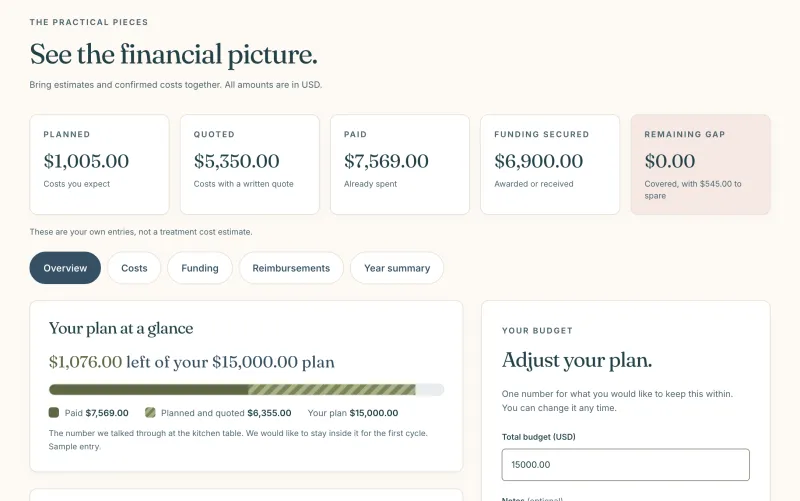
Costs and funding
Costs, a budget, grants and reimbursements, with plain totals.
-
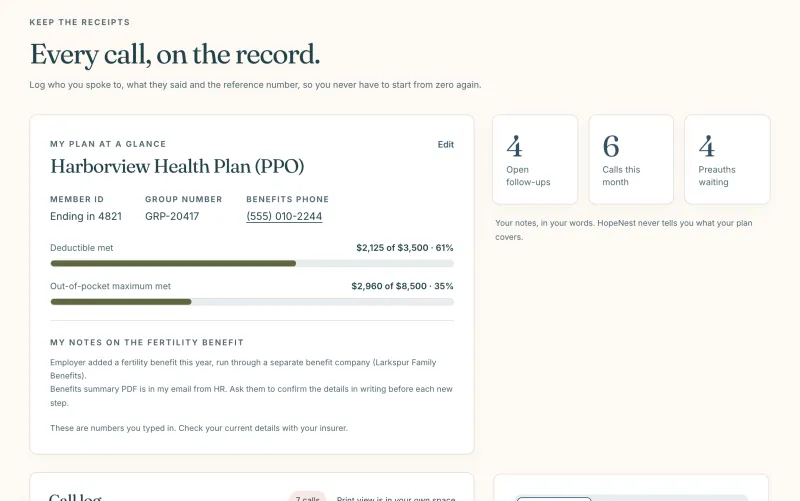
Insurance and calls
A call log with reference numbers, preauthorizations and your plan basics.
-
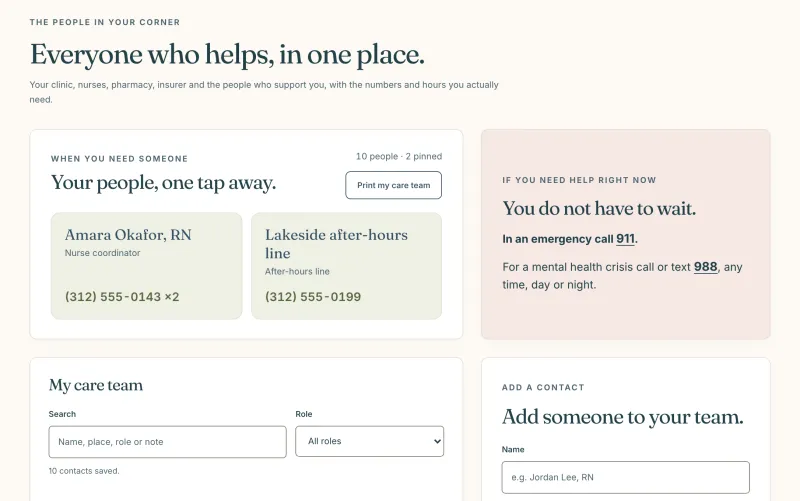
Care team
Your clinic, nurses and pharmacy, with the numbers and hours you need.