See the financial picture, at your own pace.
My finances brings the money side of treatment into one place: what you expect to pay, what has been quoted, what is paid and what help you are hoping for. The totals are simply your own entries added up, in USD, not an estimate of what any treatment costs. It is for anyone who is tired of keeping the numbers in their head.
Free to use. No account needed to explore the sample.
How Costs and funding works
- Add a cost with a title, an amount in USD, a category (Clinic, Medication, Laboratory, Travel, Storage or Other) and a status of Planned, Quoted or Paid.
- Note what you paid with and, if you may get some back, tick “I may get some of this back” so it lands on the reimbursements list.
- Add sources of help, such as grants, an employer benefit or savings, with a status from Exploring to Received. Only Awarded and Received count toward funding secured.
- Set a total budget if it helps, and see what is left, your biggest costs still ahead and where the money goes by category.
- Track reimbursements as Not submitted, Submitted, Reimbursed or Denied, and see a yearly summary of medical costs you paid.
Why it helps
-
Honest totals.
Planned, quoted, paid, funding secured and remaining gap all come from your own entries.
-
Hopes are not money.
Exploring and Applied funding never count toward what is secured, so the gap stays realistic.
-
Reimbursements stay visible.
Costs you may get back sit on their own list until they are reimbursed or denied.
-
Bring in your cost plan.
If you built numbers in the free cost planner, one button in your own space brings them in as Planned entries.
Questions about Costs and funding
Does HopeNest estimate what treatment will cost?
No. Every figure is one you entered, and the page says these are your own entries, not a treatment cost estimate. Ask your clinic for an itemized written estimate.
Can I track grants I have applied for?
Yes. Add a funding source and set its status to Exploring, Applied, Awarded, Received or Not awarded. Only Awarded and Received count toward funding secured.
Is my financial information private?
Yes. Only you can see these entries, unless you share this section. Finances is not ticked by default when you invite someone.
Keep exploring
-
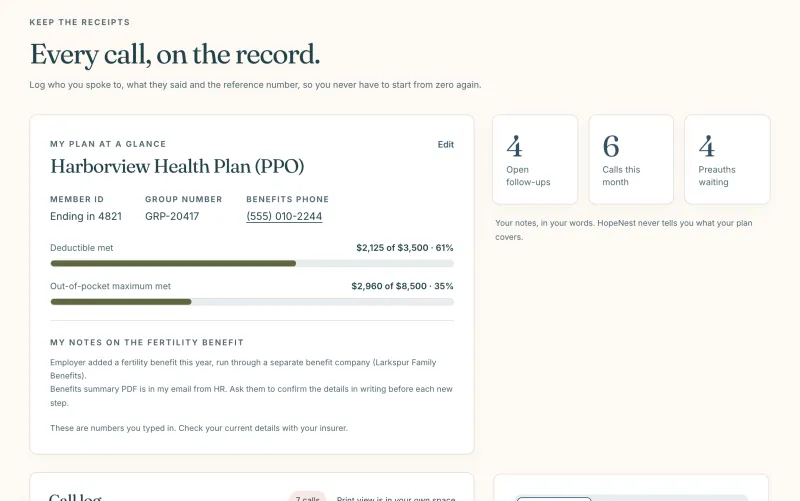
Insurance and calls
A call log with reference numbers, preauthorizations and your plan basics.
-
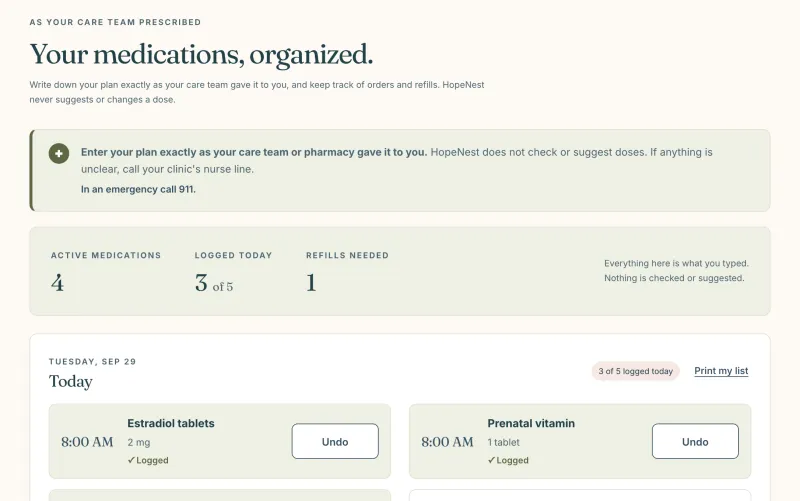
Medications
Your list as prescribed, a personal dose log and pharmacy refills.
-
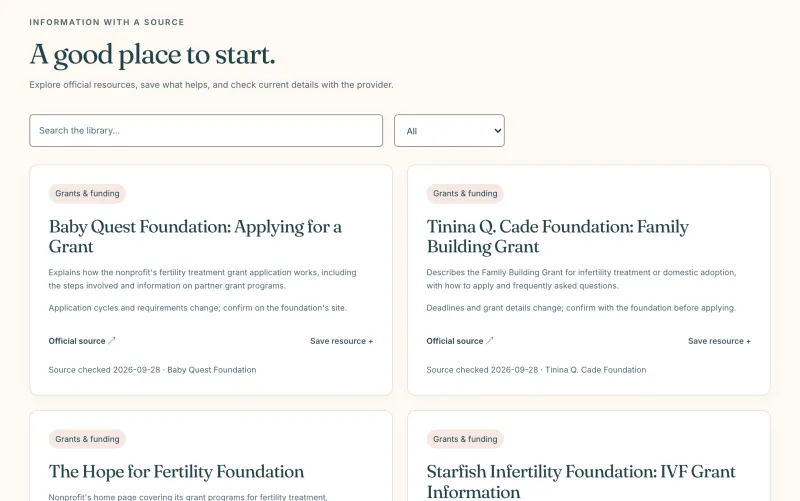
Resource library
Official resources with sources, saved and tracked in your space.